
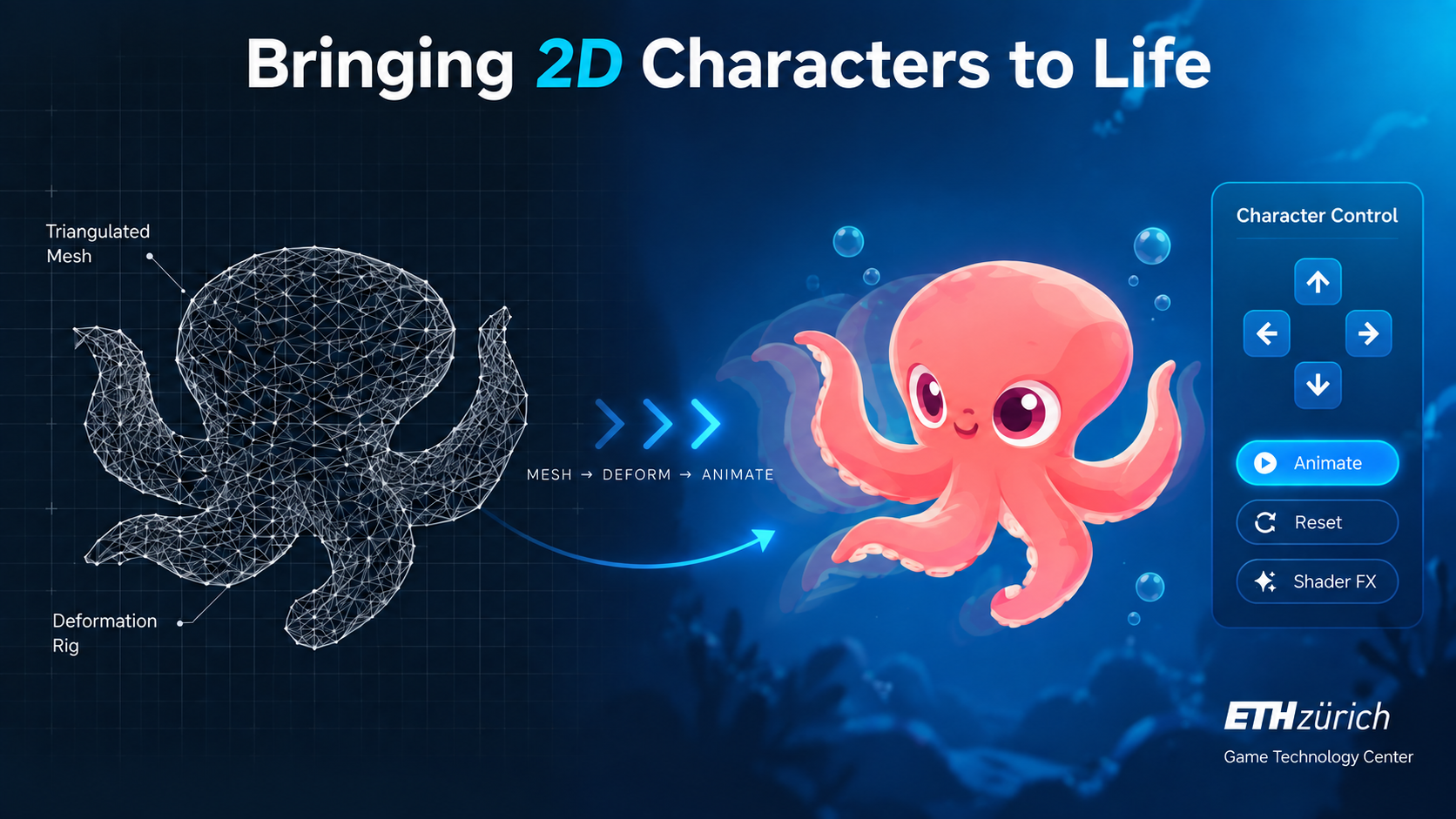
Accessible Real-Time Animation in the Game Creator Application
🎮 Bringing 2D Characters to Life: Advanced Animation Techniques! 🚀
In this project, users can animate characters by pointing to any part of the character in the main animation scene and selecting an animation type from a button palette at the top of the screen.
🔹 How It Works:
✅ Users select a part of the character to animate 🎭
✅ The system generates an underlying triangle mesh using the sprite as a texture 🖼️
✅ Animations are applied using mesh deformations and vertex shader effects 🎨
🔬 Animation Process:
🟢 Step 1: The 2D image is imported into the system. Using the Marching Squares algorithm, the character’s outline is extracted.
🟢 Step 2: Using the ear-clipping method, a primary triangulation of the character is created.
🟢 Step 3: A final triangulation is applied to regularize the mesh.
🟢 Step 4: Weights are assigned to triangle vertices using breadth-first propagation. The nearest vertex to the user’s selection gets weight 0, and other vertices receive values based on distance and neighboring connections.
🟢 Step 5: In the vertex shader, animation effects are applied using a Gaussian kernel function of weight and time. Users select animation styles via buttons in the UI.
🎨 This method allows smooth and dynamic animation while maintaining a lightweight computational cost, bringing 2D characters to life!
🙏 Special Thanks:
A huge thanks to ETH Game Technology Center for having me as an intern during Summer 2019! Your support and mentorship were invaluable.